工作方式
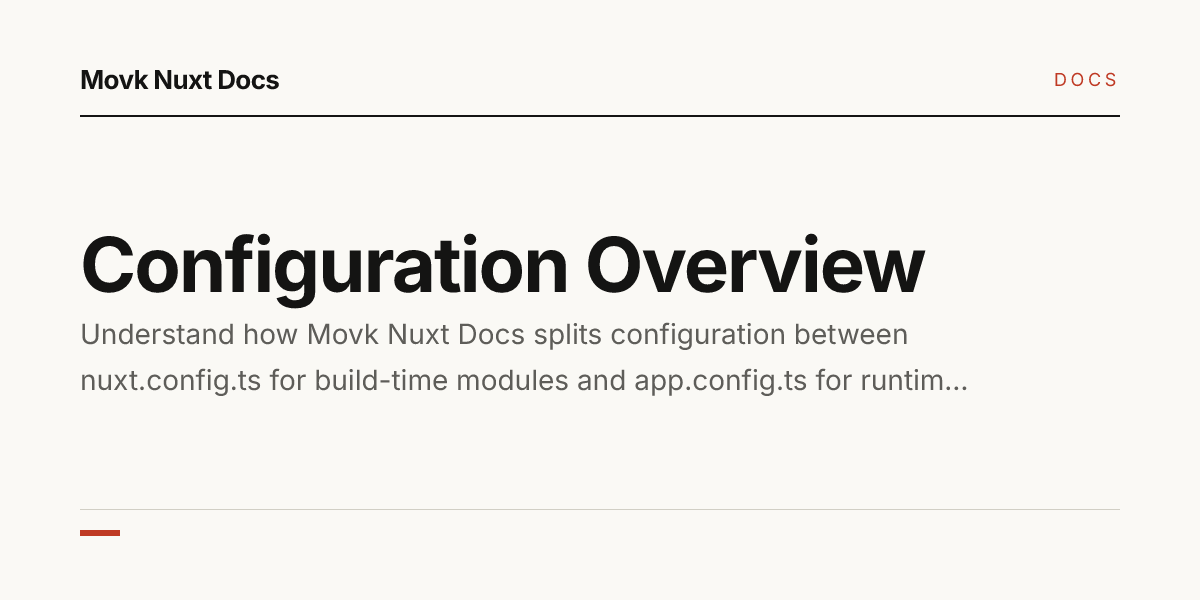
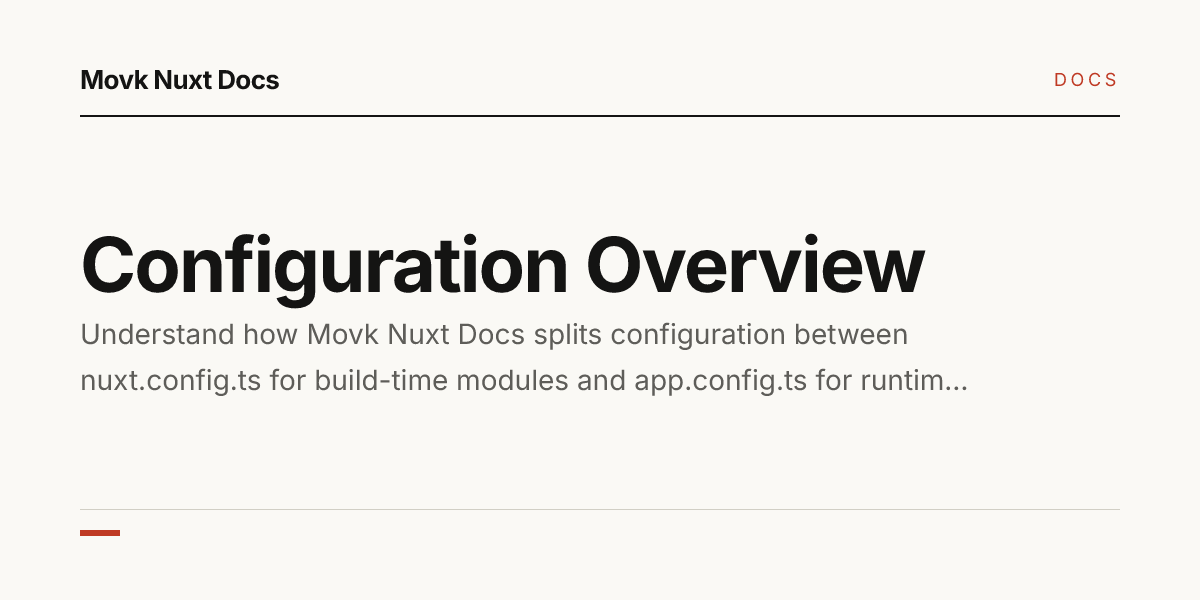
OG 图片由 nuxt-og-image 提供,默认开启,依赖随 Layer 安装,无需额外配置。
- 文档页、首页、版本发布页与案例页都会调用内置模板
NuxtSeo.takumi生成图片,并写入og:image与twitter:image; - Layer 开启了
ogImage.zeroRuntime:图片只在预渲染时用 Takumi 渲染器生成静态文件,线上不再动态生成,因此只有被预渲染的页面有 OG 图片; - 开启了
ogImage.buildCache,图片缓存到磁盘,后续构建复用未变化页面的结果。
模板字段
内置模板 NuxtSeo.takumi 位于 layer/app/components/OgImage/NuxtSeo.takumi.vue,接收以下 props:
| Prop | 类型 | 默认值 | 说明 |
|---|---|---|---|
title | string | 'title' | 主标题,最多显示三行 |
description | string | - | 标题下方的说明文字 |
siteName | string | - | 顶部站点名 |
colorMode | 'light' | 'dark' | 'light' | 配色模式 |
isPro | boolean | - | 切换为紫色强调色 |
width | number | 1200 | 图片宽度 |
height | number | 600 | 图片高度 |
文档页传入的字段来自页面 frontmatter:
| 字段 | 取值 |
|---|---|
title | seo.title,未设置时用 title |
description | seo.description,未设置时用 description |
siteName | 站点配置中的 site.name |
因此在 frontmatter 中写好 seo.title 与 seo.description,分享图片与搜索结果就会使用同一套英文标题和描述。
在自定义页面中生成
app/pages/ 下的自定义 Vue 页面需要调用 defineOgImage。将调用放在 import.meta.server 分支中,并确保预渲染爬虫能访问该页面,或将路径加入 nitro.prerender.routes。
app/pages/showcase.vue
<script setup lang="ts">
const title = '使用案例'
const description = '使用 Movk Nuxt Docs 搭建的文档站点'

useSeoMeta({ title, description })

if (import.meta.server) {
  defineOgImage('NuxtSeo.takumi', {
    title,
    description,
    siteName: useSiteConfig().name
  })
}
</script>
替换模板
模板就是一个普通组件。在项目的 app/components/OgImage/ 下创建同名文件 NuxtSeo.takumi.vue,即可覆盖 Layer 的实现,所有页面随之使用新模板:
app/components/OgImage/NuxtSeo.takumi.vue
<script setup lang="ts">
defineProps<{
  title?: string
  description?: string
  siteName?: string
}>()
</script>

<template>
  <div class="w-full h-full flex flex-col justify-between p-16 bg-[#f6f3ee] text-[#1a1a1a]">
    <span class="text-[28px] tracking-[0.2em] uppercase text-[#c8392f]">{{ siteName }}</span>
    <div class="flex flex-col gap-6">
      <h1 class="text-[72px] font-bold leading-tight m-0">{{ title }}</h1>
      <p v-if="description" class="text-[30px] opacity-70 m-0">{{ description }}</p>
    </div>
  </div>
</template>
文件名中的 .takumi 表示使用 Takumi 渲染器,保留这个后缀。模板中可用的 CSS 与写法以 nuxt-og-image 的说明为准,可参照 Layer 内置模板的写法。
只想让某个自定义页面使用不同的设计时,新建一个不同名字的组件(如
OgImage/Feature.takumi.vue),在该页面调用 defineOgImage('Feature.takumi', { ... }),内置页面不受影响。关闭 OG 图片
不需要分享图片,或想缩短构建时间时,在 nuxt.config.ts 中关闭:
nuxt.config.ts
export default defineNuxtConfig({
  movkNuxtDocs: {
    ogImage: false
  }
})
关闭后 nuxt-og-image 不再注册,defineOgImage 被替换为空实现:Layer 与你自己页面中的调用都会保留但不做任何事,不需要删除或加条件判断。其他功能开关见功能开关。